My Lucky Scoop Studio Controls (PC & Mobile)
Movement, scooping, packing interactions, and UI tips for the cozy studio loop.
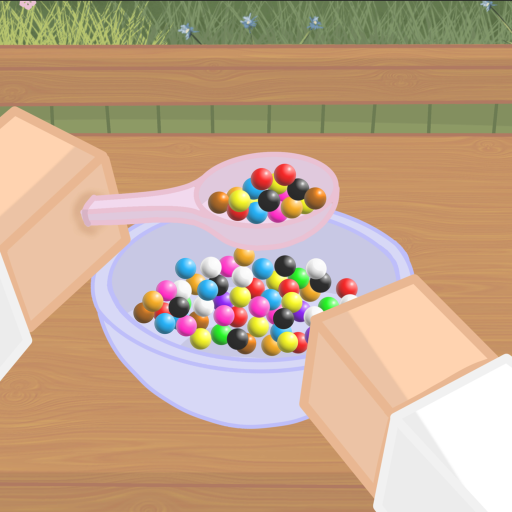
This controls guide helps new My Lucky Scoop Studio players stop fighting the UI and start shipping. The Twinkle Bloom cozy scoop studio uses standard Roblox movement plus studio-specific interactions at the order board, marble bowl, product shelves, and packing table.
Core actions (every platform)
- Move to the order computer / ticket board and accept a ticket.
- Read scoop count and color notes before you touch the bowl.
- Scoop colorful marbles that match the ticket.
- Collect the products that spawn / unlock from those scoop colors.
- Carry products to the packing table (Basket / Cart raise carry limits — Gamepasses).
- Pack carefully, seal / label, then ship.
Deep loop theory lives in How to Play. Packing failures are covered in How to Pack Orders.
PC controls tips
- Use WASD (or arrows) to path between bowl, shelves, and pack table without zigzagging.
- Click interact prompts once and wait for feedback — double-clicking mid-pack causes redo work.
- Zoom out slightly so you can see ticket text and the pack box together.
- Keep the chat collapsed when grinding badges so you do not misclick.
- Bind a comfortable camera zoom so marble colors stay readable in the bowl.
Mobile controls tips
- Use the on-screen joystick with short taps toward each station; long slides overshoot the pack table.
- Tap the ticket UI fully open before scooping — partial reads cause wrong-color scoops.
- When your hands are full, open the shop / capacity UI carefully; accidental purchases happen on small screens.
- If the pack button feels unresponsive, rotate the camera so the prompt is centered, then tap once.
- Lower non-essential graphics if the prompt delay feels high on older phones.
Inventory and hands-full moments
Videos and TikToks often show beginners stuck at a tiny carry limit until they buy a Basket upgrade (in-game coin Basket path or the 49 Robux pass). When you are full:
- Walk to the pack table or a staging surface.
- Deposit what the ticket needs.
- Return for remaining products instead of dropping randomly.
Capacity planning details: Earn Coins Fast and the tier list.
Camera and comfort
- Slightly higher camera helps see marble colors in the bowl.
- Avoid extreme FOV mods from random scripts — they can break prompts (Scripts).
- Take breaks every 20–40 minutes when chasing badges so misclicks do not spike.
- Headphones help hear pack confirms, but they are optional.
Co-op control etiquette
On servers with up to 12 players, call out who is packing. Two people clicking the same box creates chaos. Role tips: Co-op Tips.
First ten minutes control checklist
- Join place
87604112704506and wait for the studio to finish streaming. - Open the ticket board; accept a 1-scoop order if available.
- Walk to the marble bowl without sprinting past the prompt.
- Scoop once, collect the product, path to the packing table.
- Pack, seal, ship — then repeat with a 2-scoop ticket.
- Only then open the Robux shop; Basket advice is on Gamepasses.
If anything feels sticky, rejoin once. Beta softlocks are common and usually clear without losing badge progress — confirm on Updates after major patches.
Quick troubleshooting
| Problem | Try this |
|---|---|
| Cannot scoop | Face the bowl, wait for the prompt, single interact |
| Cannot pack | Confirm all ticket items are in the box; re-read counts |
| Prompt missing | Rejoin; beta softlocks happen — Updates |
| Walking forever | Buy Basket / raise capacity before large tickets |
| Wrong product color | Re-read the ticket before the next scoop |
Related pages
Master the clicks once, then let the cozy loop feel automatic.
Frequently Asked Questions
Quick answers about scooping, packing, codes, and studio upgrades.
What are the My Lucky Scoop Studio controls?
Standard Roblox move plus interact at the ticket board, scoop bowl, shelves, and packing table. Read the ticket before every scoop.
Why am I stuck holding only a few items?
Default carry is low. Upgrade Basket with coins or the 49 Robux pass — Gamepasses.
Does mobile play differently?
Same loop, tighter UI. Open the full ticket, tap prompts once, and center the pack button on screen.
Where do I learn packing after controls?
Read How to Pack Orders next.